
Name-Based Case Searches
Start with the free Arizona Public Access Case Lookup. It takes a person or business name. Spell the name the way court papers spell it. With a common surname, add a first name and pick the court to trim the list. The portal is statewide. An unrestricted court choice may pull cases from far outside La Paz County.
- Open Public Access and retype the CAPTCHA characters. Use the Submit button if pressing Enter does not move the form forward.
- Select the name-search path and enter the last name or business name. Add a first name only when it helps narrow the results.
- Choose the likely La Paz County court. Search another relevant court if the case may have moved from a limited court.
- Compare the court, case number, case type, filing date, and party role before opening a result.
- Read events in date order and confirm recent or unclear activity with the clerk that owns the file.
A name match alone proves little. Confirm the court, case number, type, and dates line up. Keep sensitive identifiers out of any public notes.
La Paz Public Access Fields
Public Access offers two main routes. By case number, you need a year, a court, and the number itself. By name, a surname or business name is the minimum. The other fields only narrow things down. The menu lists six court choices: La Paz County Superior, Parker Justice, Parker Municipal, Quartzsite Justice, Quartzsite Municipal, and Salome Justice.
| Field label | Type | Required | Options or format |
|---|---|---|---|
| Search By Case Number | Tab | One method | Select year and court, then enter the number |
| Year | Dropdown | Number path | Years shown back to 1916; availability varies |
| Court | Dropdown | Number path | All Searchable Courts or a named La Paz venue |
| Case Number | Text | Number path | Preserve the court's prefix and hyphen pattern |
| Last Name / Business Name | Text | Name path | Use the legal spelling |
| First Name | Text | No | Narrows a person search |
| Date of Birth | Date/text | No | Do not republish private result data |
| Retype characters | CAPTCHA | Yes | Click Submit after entry |
The official unavailable-courts list identifies courts not in Public Access.
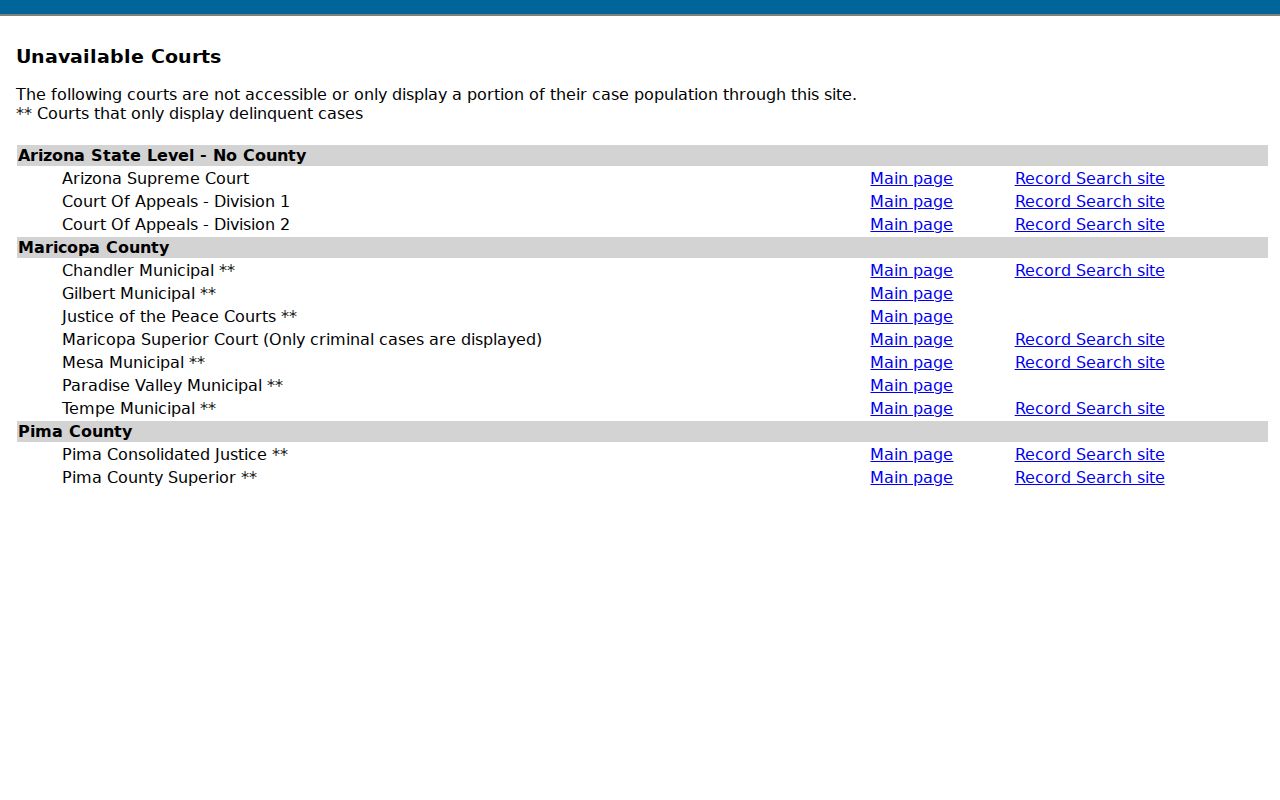
Coverage is wide but not total. Treat an empty result as a prompt to try both the court list and the office that holds the file.
La Paz Court Label Traps
Public Access still shows Parker Justice, Quartzsite Justice, and Salome Justice. Current state organization material, though, counts a single La Paz County justice precinct. Those older labels still work as search keys. A label by itself never proves a separate counter still keeps the file.
Search first with the court printed on your original notice. When a historical label returns a case, call the current La Paz County Justice Court office before you order a copy or drive to a listed location. Staff can trace a consolidation with the case number. The venue where the matter began helps too.
Case Number Searches
Nothing beats a full case number as a search key. Public Access displays CV-200812345 as a validation sample. Real La Paz County formats differ, though. Superior Court calendars use patterns like S1500CRYYYYNNNNNN for criminal cases and S1500CVYYYYNNNNNN for civil ones. Probate cases carry PB. Guardianship or conservatorship matters use GC, and juvenile dependency shows JD.
Pick the year and court before typing the number into Public Access. Keep the prefix and any hyphens intact. A failed first try calls for a comparison with your original notice or citation. Do not guess a new format. One more wrinkle exists. A felony can carry an early limited-court number plus a later Superior Court number. An appeal opens its own file in the receiving court.
La Paz Search Update Timing
Public Access says its data updates each Friday through Wednesday. That weekly rhythm matters. Something filed, reset, or closed late in the week may lag. Timing, not the absence of a case, often explains a blank in the statewide case search.
Before a hearing, weigh the result against the clerk's current weekly court calendar. For a filed document, ask whether eAccess holds the image. If not, the clerk must supply it. The Clerk of the Superior Court also cautions that some cases and documents never appear on Public Access. The office invites calls about a specific file. The counter and the telephone belong in the search path, not after it.
Note: Public Access is a free index of case information. It is not a certified record. Nor does it display every court action in real time.
Case Search Results Explained
A single result can lay out enough structure to follow a public case. It works even without every filed image. Read the court and case number first. Category, status, filing and disposition dates, party roles, events, and future settings come next. Treat any event label as an index clue. The label does not guarantee the signed order, motion, or judgment it names.
| Case number | The unique identifier used to confirm the file and request a document. |
|---|---|
| Court and case type | The owning venue and category, such as Superior civil, criminal, justice, or municipal. |
| Status | The portal's current case state, which should be read with the latest events. |
| Parties and roles | Unrestricted participants identified as plaintiff, defendant, petitioner, respondent, or counsel. |
| Events | The chronological history of filings and court actions. |
| Hearings | Future or past dates, hearing types, courtroom data, and results when supplied. |
Need the filed image or certified proof behind an entry? Turn to the La Paz County court case records process.
La Paz Case Detail Blocks
An eAccess case detail splits into blocks: case, party, criminal charge, event, and hearing information. The case block lists the number and filing date. Title, category, status, court location, and judicial officer appear there too. Event entries give unrestricted descriptions. They may offer a preview, or say the document is not available online.
Criminal charge information can show the statute, classification, and disposition. A blank disposition means nothing has been entered in that field. Hearing information can show the courtroom, date, type, and result. A blank result means no result yet. Read every blank as a missing value, never as an outcome.
La Paz eAccess Document Searches
Arizona eAccess is the paid document layer. It serves unrestricted Superior Court civil and criminal cases filed on or after July 1, 2010. You must register and log in. It does not replace Public Access, and it does not promise every file. A first-page preview with an "UNOFFICIAL" watermark lets you check before you buy.
| eAccess field | Use | Options or behavior |
|---|---|---|
| Basic search | Full or partial case number or party name | A criterion is needed |
| Select a Court | Narrow to La Paz County Superior | All Courts is the default |
| Filing Date Range | Limit case filings | Any Time, preset, or custom dates |
| Case Title / Party | Search caption, person, attorney, or business | Full or partial text |
| Judicial Officer | Narrow by judge or commissioner | Full or partial name |
| Case Type | Narrow civil or criminal | CV, C, or CR |
| Event Description | Find an event such as a motion or order | Use a specific phrase and La Paz court filter |
| Boolean operator | Join criteria | AND, OR, or NOT |
The official eAccess application is shown below.
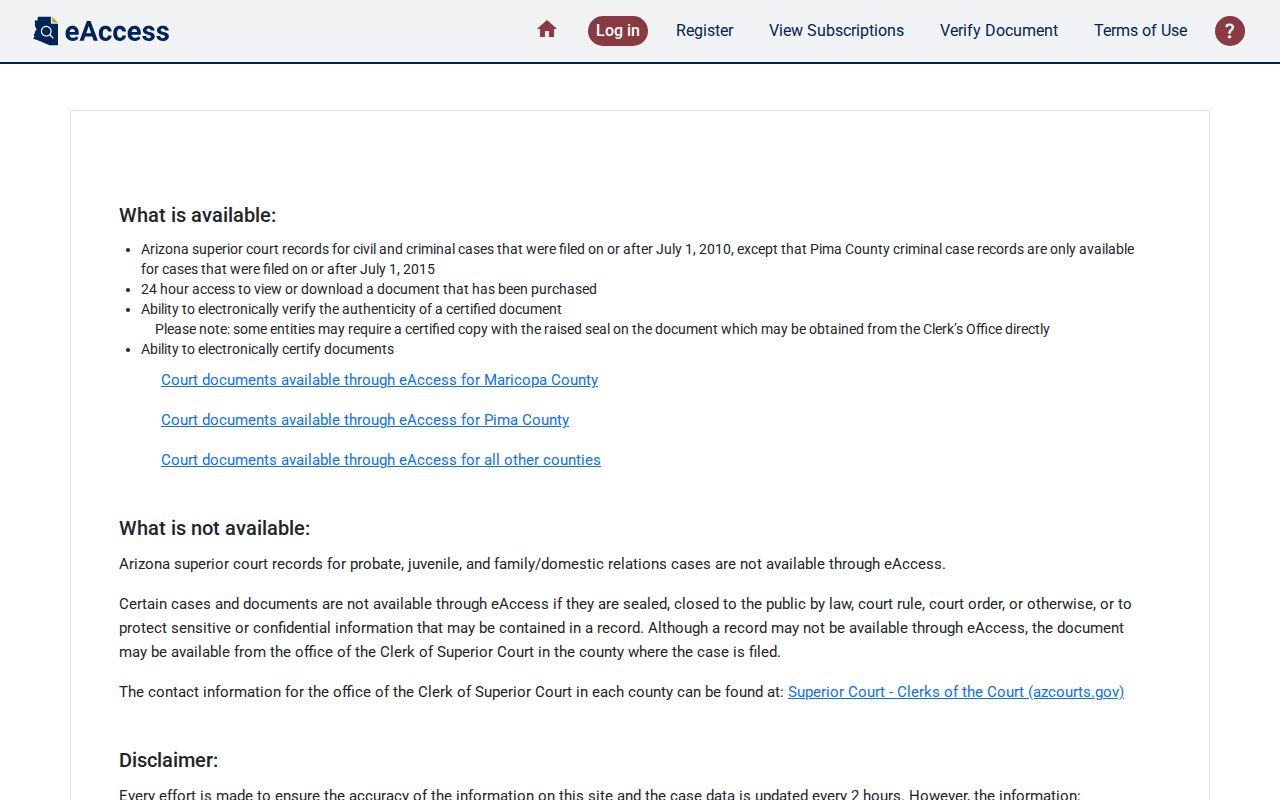
Sorting is fine, and so are exports, though a CAPTCHA step guards each export and results stop at 1,000. Once you buy a file, the clock runs. View or download it within 24 hours, or you pay for it again.
Two Ways to Search: County and State
La Paz County has no single local portal that replaces what Arizona already offers statewide. Public Access gives a free statewide case index. eAccess sells document images for eligible Superior Court matters. For anything the state tools leave out, older records, certified copies, or court-specific questions, the La Paz clerk and the limited-court offices are still the county route.
| Channel | Best use | Important limit |
|---|---|---|
| Public Access | Free name or number lookup across participating courts | Weekly data, not certified, incomplete coverage |
| eAccess | Eligible post-2010 Superior Court civil/criminal documents | Registration, fees, and restricted-image exclusions |
| Minute Entry Search | Participating minute entries | A minute entry may not replace a signed order |
| Local clerk | Older, omitted, archived, or certified material | Search and copy fees may apply |
The state clerk directory confirms the La Paz County Superior Court clerk channel.
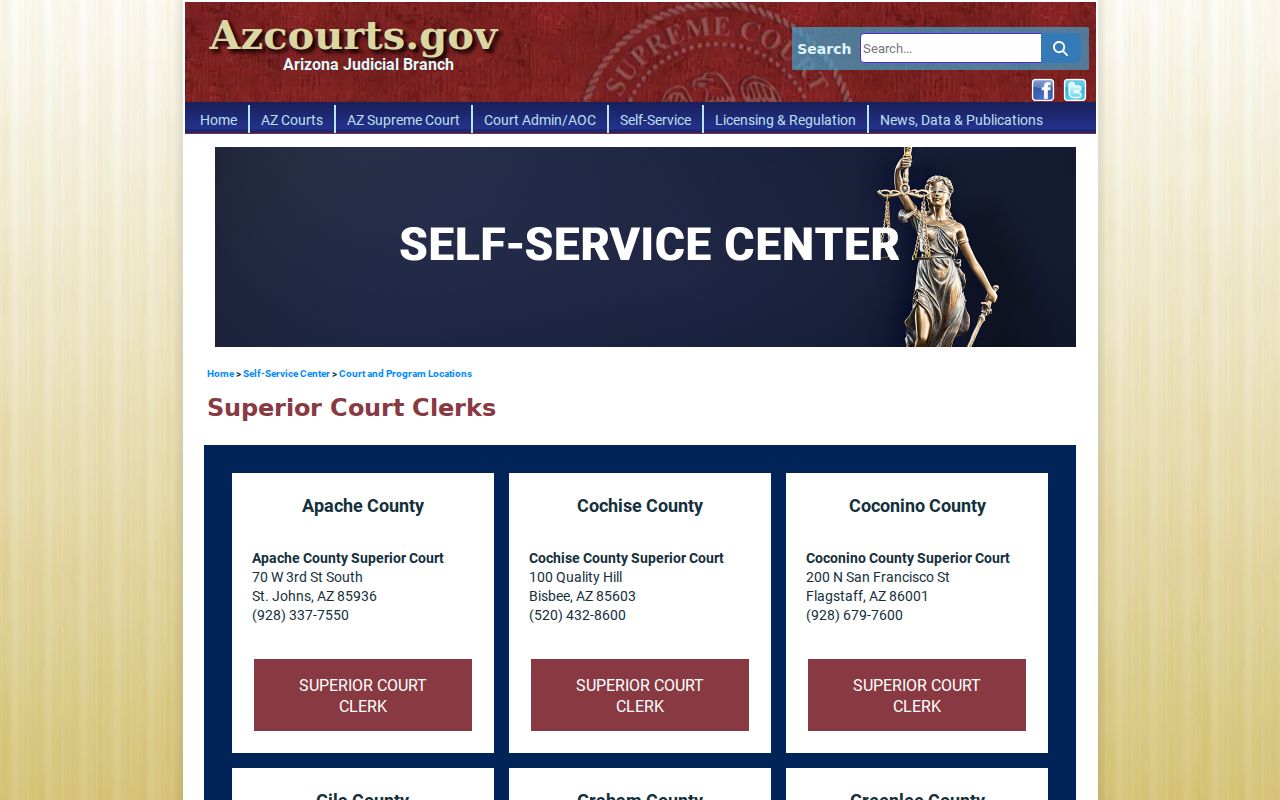
The directory points a document or case-history question to the right clerk.
La Paz Clerk Search Fallback
An older Superior Court file may be what you need. So may a fresh filing missing from the weekly feed, an eligible record absent from eAccess, or a certified copy. In each case the Clerk of the Superior Court in La Paz County is the fallback. The office sits at 1316 Kofa Avenue, Suite 607 in Parker. Call (928) 669-6131. Limited-court questions belong with the clerk who keeps that docket. Have the court, the case number, and the filing date if known. Bring the exact document or date you want. Ask if the item is public. Ask what search or copy fee applies, and whether Rule 123 requires a written request.
La Paz eFiling Is Different
eFileAZ moves filings into a court. It is not the public case register. Not every paper filed through it becomes readable by anyone. Limited-jurisdiction e-filing has reached La Paz County Justice Court. Mandatory e-filing is set for February 1, 2026. That shifts how lawyers file, not how much of the past record the public can see. The official limited-jurisdiction e-filing availability list shows the La Paz implementation.
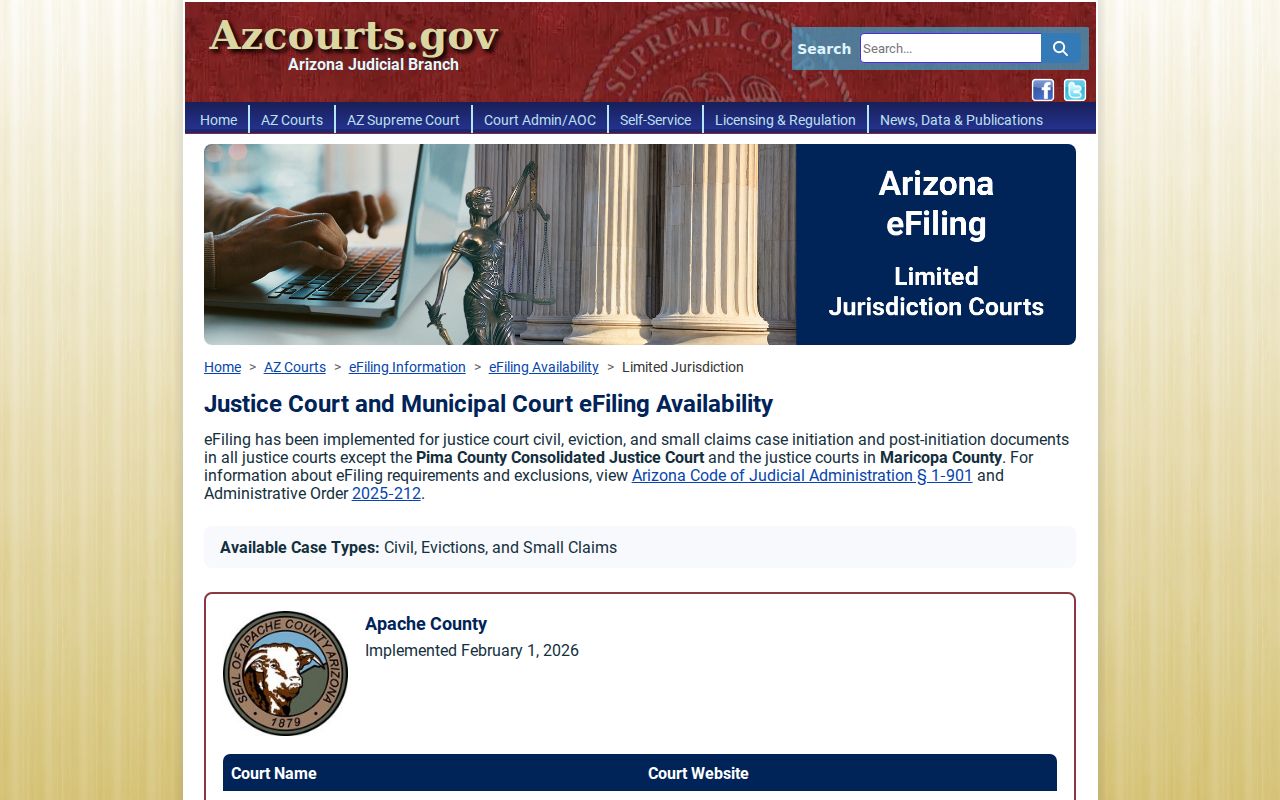
Keep the tools straight. An eFileAZ account is for filing; Public Access and eAccess are for finding public case information and eligible images.
La Paz Searches Before 1983
La Paz County was carved from northern Yuma County in 1983. A case filed before that boundary may still sit with Yuma County. It depends on the date and venue. Start with the court and number on the original paper. If the statewide portal gives no answer, ask the La Paz clerk. That clerk knows where the archive lives. Older La Paz County records can involve film, alpha indexes, or staff research. The Superior Court fee schedule prices those archival paths. A failed online search proves nothing about whether a file exists. Give the clerk a case number when possible. Add the court, an approximate filing date, and the exact record sought.
Which Cases Stay Restricted
Arizona Supreme Court Rule 123 governs who may see judicial records. Sealed, confidential, redacted, and simply missing online are four different situations. Juvenile and adoption material can be closed or limited. So can many mental-health records, treatment and evaluation data, unserved protective-order information, victim safety details, and protected identifiers. eAccess also excludes sealed or restricted images. A no-show result may mean delayed data or an unavailable court. It may also mean a legacy name, a sealed file, or a record format that is not online. Ask the custodian whether the case is public. Ask whether a Rule 123 request or court motion is required. Never try to bypass portal controls.
Access rule: Arizona Supreme Court Rule 123 presumes access to public judicial records while defining closed records and review procedures.
A.R.S. §8-208 governs access to juvenile records.
Note: A portal omission is a reason to check with the court. It is not a basis to infer sealing or a final case outcome.